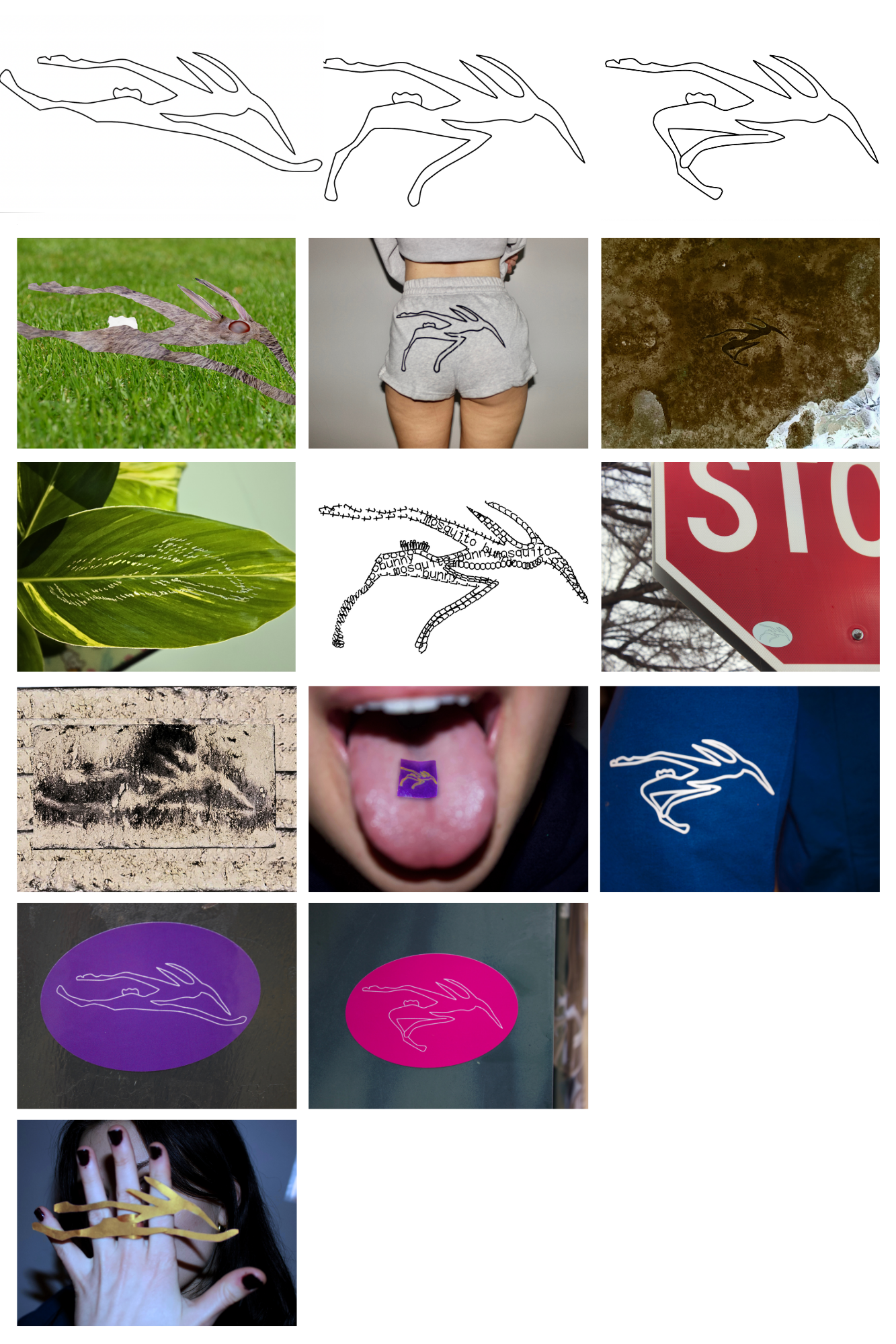
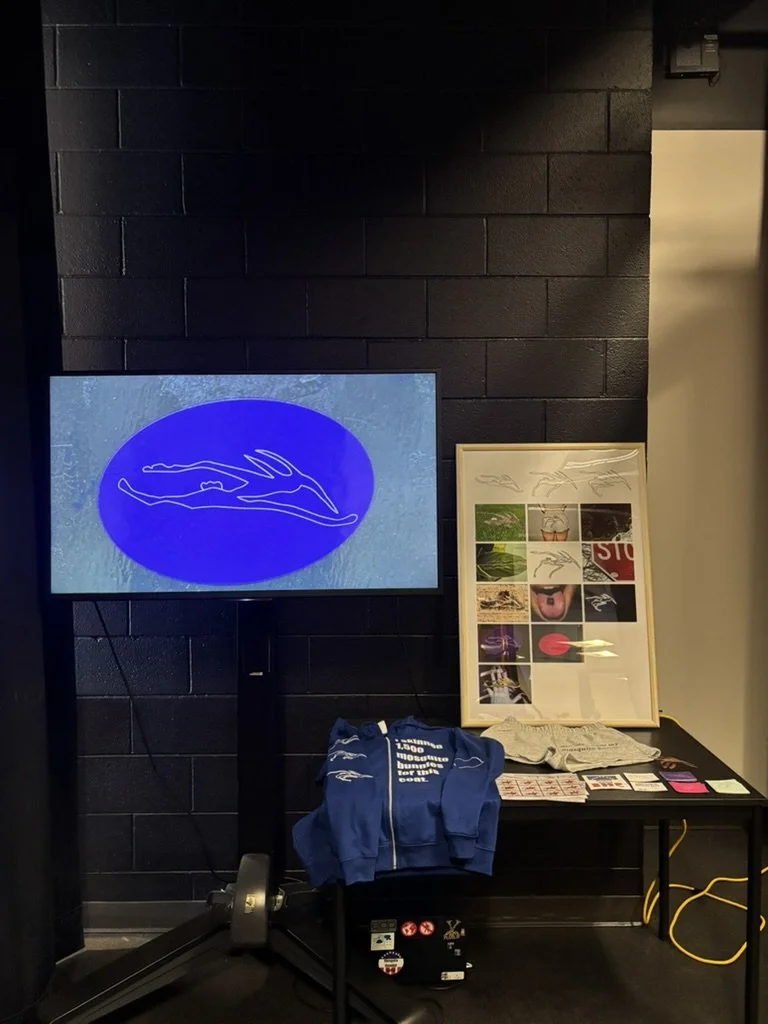
In the dim corner of the hypercube sits the most recent final form of my Capstone Project: The Mosquito Bunny in Motion. Presented in three forms, this work encapsulates my Winter Quarter Capstone progress. The first arrangement is presented through a 42 inch television screen, looping a gif composed of fifteen distinct images of the Mosquito Bunny that I created, captured, and edited throughout the quarter. Three different forms of the creature are present, intended to show the different stages of him running. The pictures shown in order are as follows:
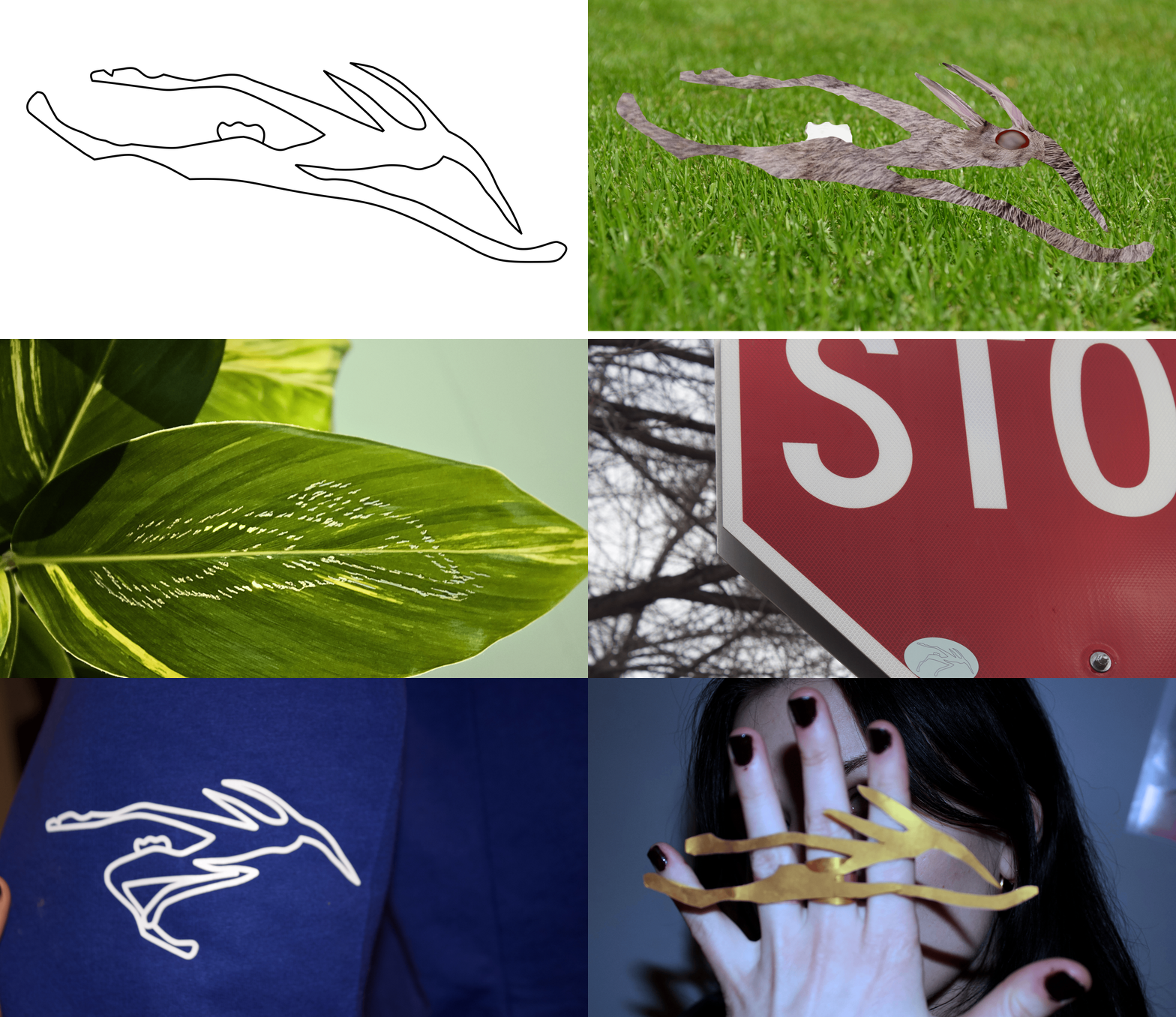
Mosquito Bunny Base Form 1- The first image presented is a simple black and white digital drawing of the original Mosquito Bunny form. I used Affinity Designer to create this form.
Mosquito Bunny Base Form 2- Similar to Base Form 1, this image was created through Affinity Publisher. It shows the second stage of Mosquito Bunny running, with its legs bent in.
Mosquito Bunny Base Form 3- The final base image shows the final stage of Mosquito Bunny running, with both of his legs overlapping under his body. This image is in black and white and was created through Affinity Designer.
Combination Mosquito Bunny - This form was created digitally with the help of Affinity Designer and Affinity Photo. I found free stock photos online of a rabbit, grass, and a mosquito. I then combined these three images into the shape of Base Form 1, creating a hybrid of a real mosquito and rabbit in the imagined Mosquito Bunny shape.
Mosquito Bunny Short Shorts- This photograph features a pair of shorts that I created for this series. On the rear end of the shorts, Mosquito Bunny Base Form 2 is printed. To create the shorts, I exported my original Affinity Designer form as an EPS to the Graphtec Studio application, through here I then sent the EPS file to the vinyl cutter. After the design was finished cutting, I used the heat press at 305 degrees Fahrenheit for 15 seconds to adhere the Mosquito Bunny to the shorts. This process is one I learned in the EDPX class Imaging. With my friend modeling the shorts, I snapped several photos on the Canon camera that I rented from TechCheck. I exported these images onto my laptop, and edited them with Affinity Photo.
Dirt Mosquito Bunny- This image is not what it seems. Originally I cut out Mosquito Bunny Base Image 3 from paper and laid it over a patch of snow. I used the Canon Camera to document this, and uploaded the image into Affinity Photo. After spending some time manipulating the photo, I found I liked it best with the colors inverted, as it gave the appearance of the Mosquito Bunny carved into the Earth.
Leaf Mosquito Bunny- Built from Base Form 1, Leaf Mosquito Bunny was carved out of a real house plant. I used a pin to carefully prick holes into the shape of the Mosquito Bunny. In my house I set up a photography studio, with a white background, studio lighting, and the Canon camera on a tripod. I used this setup to document the leaf image before exporting it into Affinity Photo where I further edited its colors and visibility.
Typography Mosquito Bunny - Mosquito Bunny Base Form 2 takes its form through the Merchant Copy typeface. Made up of the letters spelling out “Mosquito Bunny”, this image was created through Affinity Designer.
Stop Sign Sticker 3- Using Canva Print Shop, I printed off several stickers containing the three Mosquito Bunny forms in various colors. After sticking these stickers in various locations around campus, I documented their whereabouts with the Canon camera. Using Affinity photo to edit, I exported these images into my project and have continued to hand out stickers to my friends and peers.
Burnt Mosquito Bunny- This Mosquito Bunny was a happy accident. After soldering the copper for Mosquito Bunny Ring (see 15), my soldering pad was left with the distinct outline of Mosquito Bunny Base 1. After burning the pad a bit more to darken the outline, I documented the shape with my camera and further edited it in Affinity Photo and Affinity Designer.
Mosquito Bunny Tab- This cheeky image was created through the combination of several images. I first printed out Mosquito Bunny Base Image 2 onto small 1x1 inch squares of paper. I used complimentary colors to add extra depth and dimension to the form. My friend Liz modeled for me by placing the small square onto her tongue. I then picked the best image of her mouth and of the showcase of the tab and combined them on Affinity Photo. I edited the brightest of the photo as well to further show off its colors.
Mosquito Bunny Hoodie- Mosquito Bunny Base Image 3 is shown on a close up image of a cotton hoodie sleeve. I printed the sweatshirt with the same process as Mosquito Bunny Short Shorts (see #5). My friend Estella modeled for me, as I photographed the sweatshirt and edited its colors through Affinity Photo.
Mosquito Bunny Sticker 1- See #9
Mosquito Bunny Sticker 2 - See #9
Mosquito Bunny Ring - I was first introduced to soldering in the EDPX Systems class that I took Winter Quarter 2024. Although we were soldering wires to bread boards, I used these initial skills to learn how to solder metal into jewelry. For this ring, I carved Mosquito Bunny Base Image 1 out of a sheet of copper using a harp saw. I then cut out two ring bands from the copper and rounded them to fit my middle and ring fingers. I then used a torch and solder to fuse the rings onto the back of the Mosquito Bunny. After pickling the three copper pieces to add shininess and remove ware, I used my at home photo studio to document myself wearing the ring. I finally edited this photo on Affinity Photo.
Sitting next to the television screen is a 36 x 48 inch frame containing a print photo collage of all fifteen Mosquito Bunny Images. These images are in the same order as the video. The framed collage is intended to give audiences a better view of all of the images, and to create a moment of stillness next to the hyperspeed of the gif.
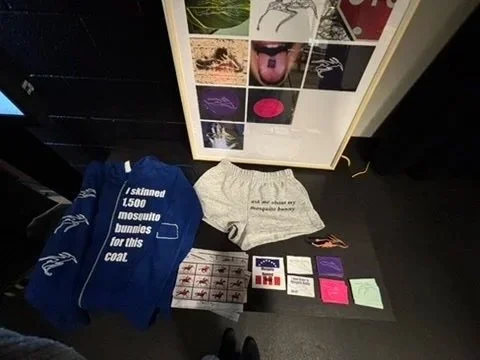
The table sitting below the frame consists of several Mosquito Bunny relics I created over the course of this project. Included are the Mosquito Bunny ring, short shorts, sweatshirt, and stickers. I have also included other sticker designs and postcards that I have created over this term that were not included in the gif.
The ultimate inspiration for this project was Edward Muybridge’s The Horse in Motion. As the onset of the invention of film, I wanted to draw from Muybridge's photo series as a base point for the beginning of Mosquito Bunny. I plan to continue my work on Mosquito Bunny with several other projects. Right now, I am creating a Mosquito Bunny jersey for my friend to wear as she runs the Mountain 2 Beach Marathon in mid-April. I have been posting my work on the Mosquito Bunny Instagram (@MosquitoBunny) and on my personal website (kathrynannwoodward.com).